

Weighing Scale With Packing List and Delivery Challan for Indian Manufacturers
Packing and dispatch errors do not usually begin with an inaccurate weighing scale. They begin when the correct physical weight is recorded separately from the product label, inventory entry, packing list and delivery challan.
A package may be weighed correctly, but the operator may write the reading manually. Another employee may create the barcode label. The warehouse may update inventory later, and the accounts or dispatch team may prepare the delivery document using a separate spreadsheet.
When the same customer, item, quantity and weight are entered several times, discrepancies become difficult to avoid.
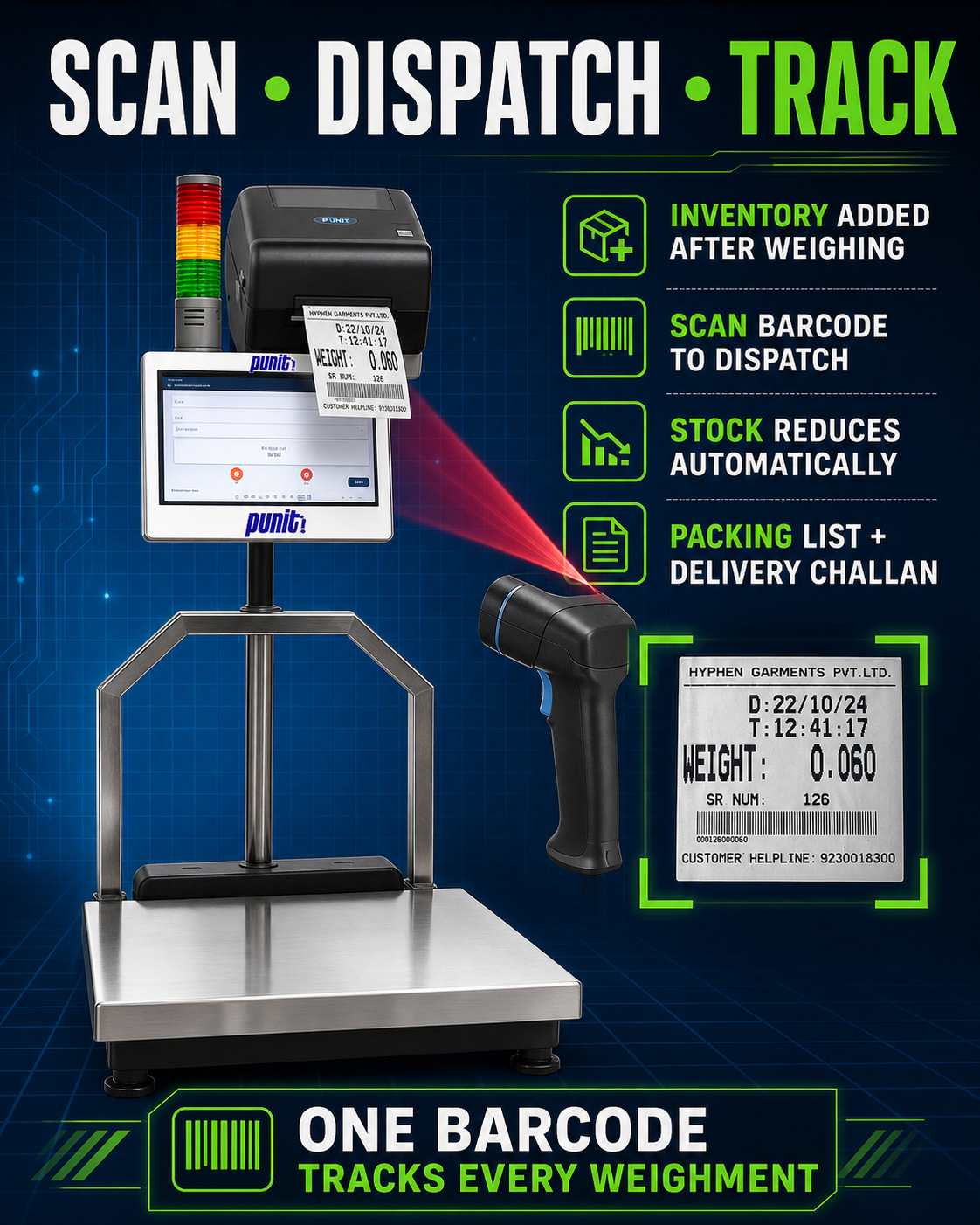
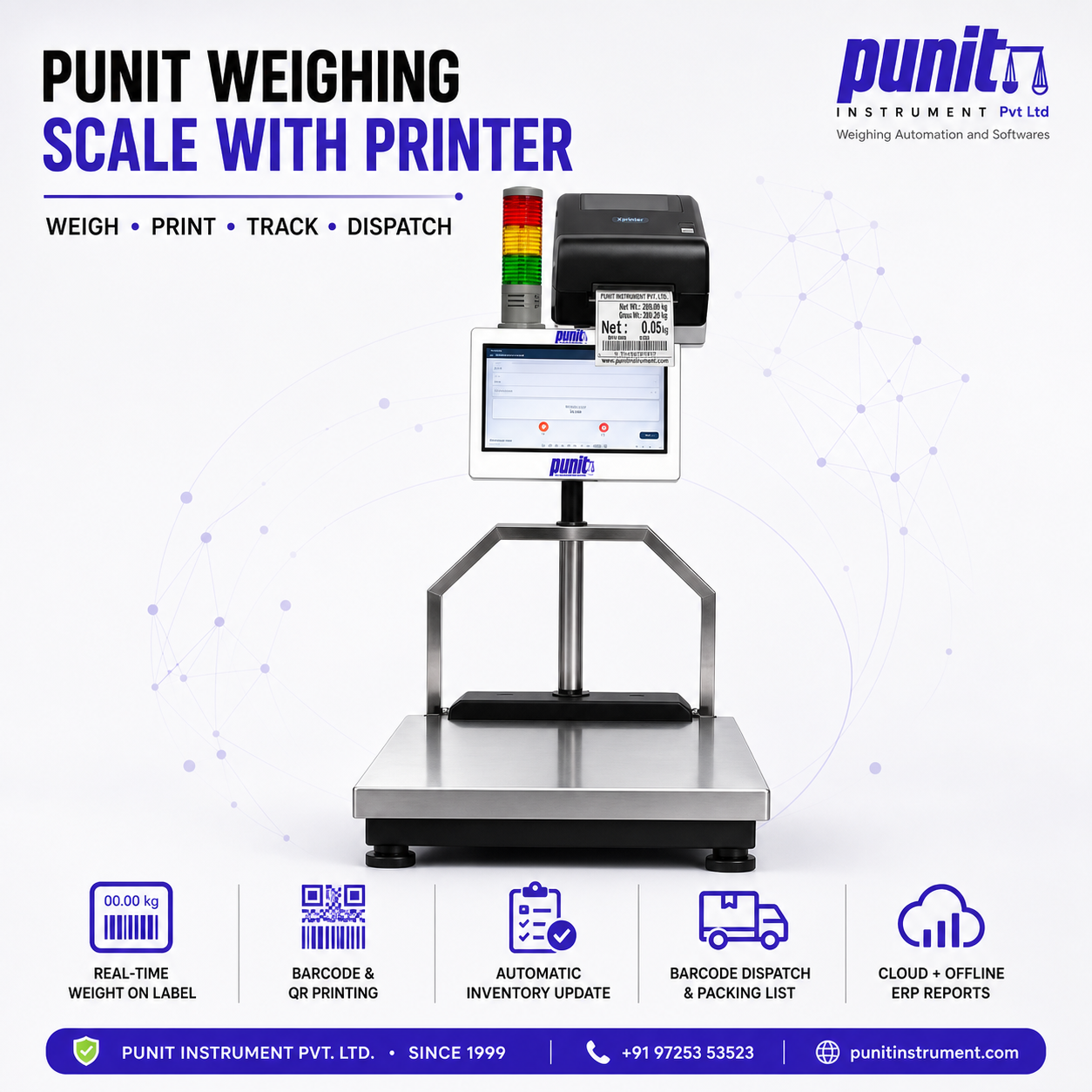
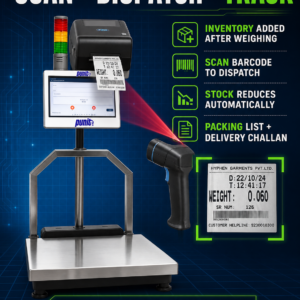
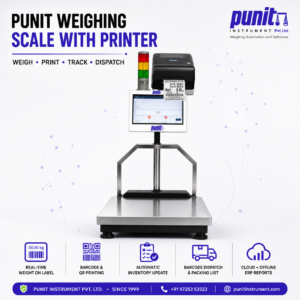
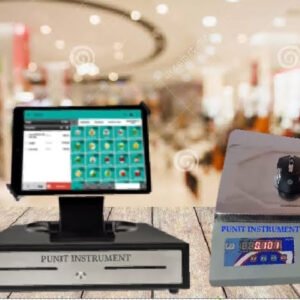
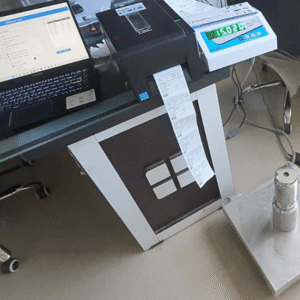
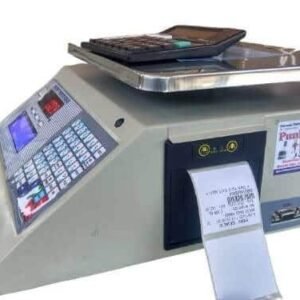
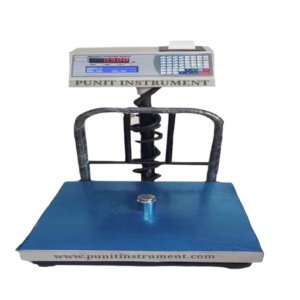
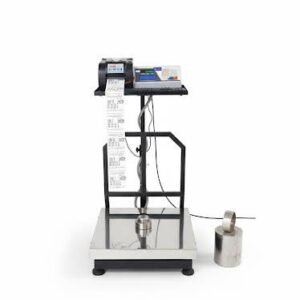
The Punit Weighing Scale With Packing List and Delivery Challan brings these operations together at one controlled touchscreen workstation. It connects the industrial weighing scale with order selection, weight verification, barcode printing, package scanning, inventory management and dispatch-document generation.
The system is designed for Indian factories that pack products at multiple levels, such as:
- Individual product or unit box
- Inner packet or small carton
- Master box
- Crate or bin
- Pallet
- Final shipment
Each accepted package can receive a unique identity. Smaller packages are scanned into the master box, master boxes are scanned onto the pallet, and final documents are generated from the packages that were physically verified.
What Does This Weighing and Packing System Do?
The system converts a normal weighing operation into a controlled packing transaction.
An authorised user first creates or selects a customer order. The order can contain the customer, product, quantity, part number, batch, packing structure, weight tolerance and required printed formats.
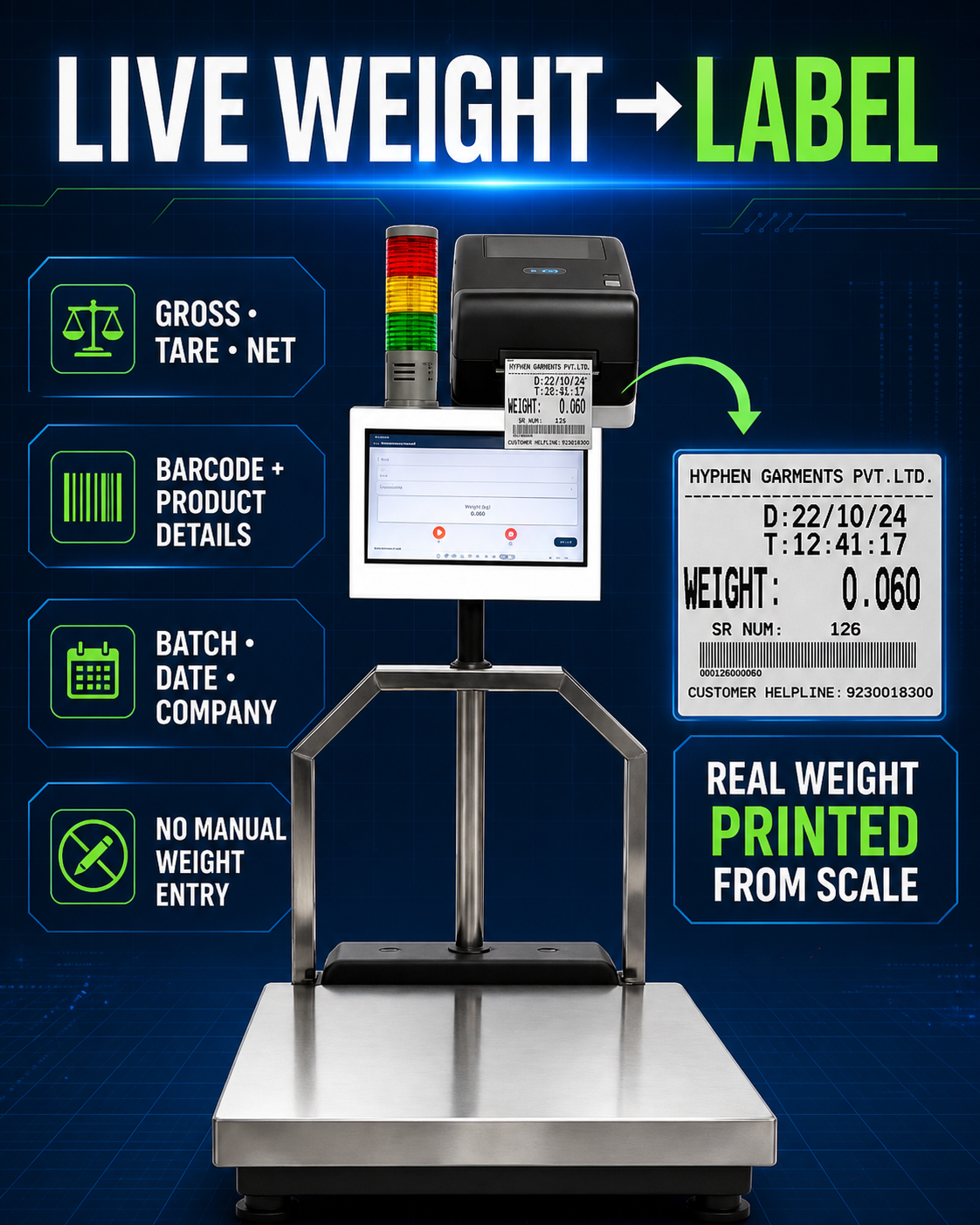
The operator then weighs the first package. The application receives the live reading directly from the digital weighing indicator.
If the package weight is within the approved range, the transaction is accepted and the label is printed.
If the package is underweight or overweight, the accepted label is not printed. The operator must correct or investigate the package before it can move to the next stage.
The accepted package barcode is scanned into the larger carton. The same logic continues for the master box and pallet.
After packing is completed, the system can:
- Update finished-goods inventory
- Record the customer order quantity completed
- Create package-wise traceability
- Generate a packing list
- Print a delivery challan
- Print a weight bill or weighment slip
- Generate a dispatch record
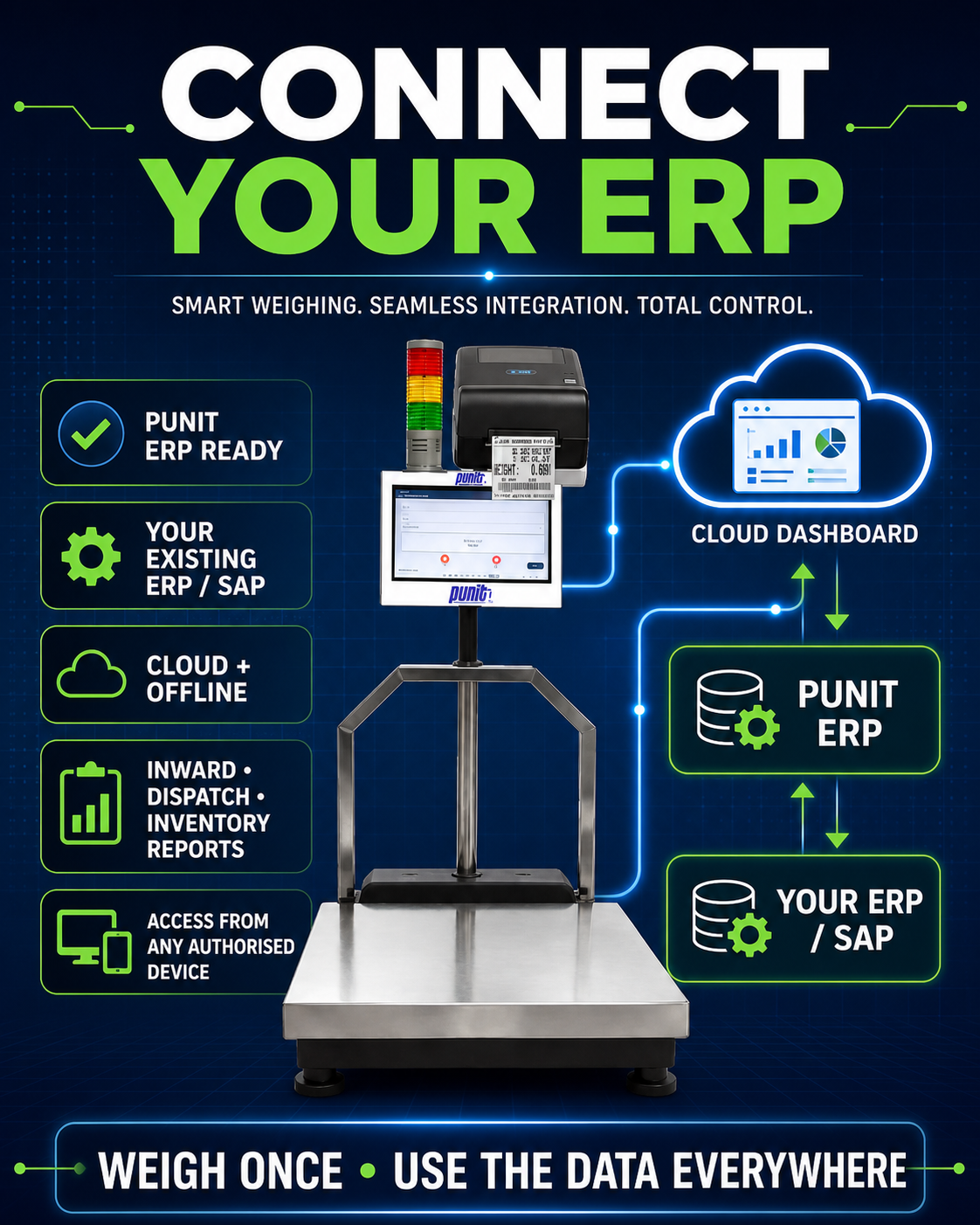
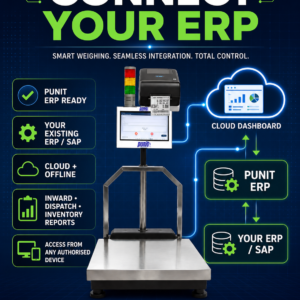
- Send the approved transaction to an ERP
This reduces the gap between physical material, printed identification, recorded stock and dispatch documentation.
Complete Packing and Dispatch Workflow
1. Create or Select the Customer Order
The process begins with an approved customer or production order.
The operator or supervisor may enter:
- Customer name
- Customer code
- Delivery location
- Purchase-order reference
- Sales-order reference
- Product name
- Part number
- Product variant
- Batch or lot number
- Required quantity
- Quantity per unit box
- Unit boxes per master box
- Master boxes per pallet
- Minimum weight
- Maximum weight
- Required label
- Packing-list format
- Delivery-challan format
- Planned dispatch date
Orders may be created directly on the touchscreen or received from a connected ERP or web panel when integration is included.
The application can show completed quantity, pending quantity and remaining packages. This helps prevent packing beyond the authorised order quantity.
2. Weigh and Verify the Unit Box
The operator places the unit box on the connected scale.
The touchscreen displays:
- Live weight
- Stable or unstable status
- Selected customer
- Selected product
- Target weight
- Minimum approved weight
- Maximum approved weight
- Accepted, underweight or overweight result
The system waits for a stable reading before evaluation.
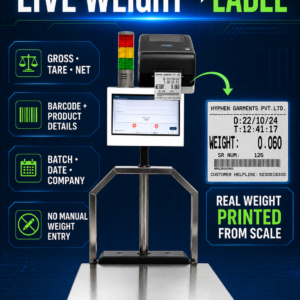
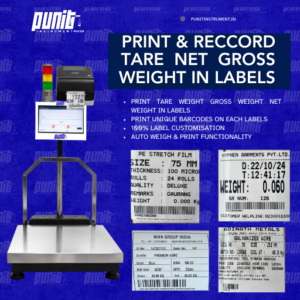
When the weight falls within the approved range, the system may print a unit-box label containing:
- Punit or customer logo
- Customer name
- Product name
- Part number
- Quantity
- Batch
- Gross weight
- Tare weight
- Net weight
- Packing date
- Operator
- Unique barcode
- QR code
If the unit box is outside the allowed range, the accepted label remains blocked.
This is especially useful for auto parts, fasteners, precision components and other consistent products where one missing or additional item creates a detectable weight difference.
Weight verification does not replace every visual or quality inspection. Its effectiveness depends on component variation, packaging variation, scale readability and the weight difference created by a missing or extra item.
3. Scan Unit Boxes Into the Master Carton
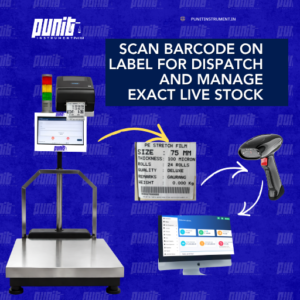
After the unit-box barcode is printed, it is scanned while the package is placed inside the master carton.
The software verifies:
- Correct customer order
- Correct product
- Correct batch
- Barcode has not already been scanned
- Package has not been cancelled
- Package has not already been dispatched
- Required unit-box count has not been exceeded
The touchscreen displays the expected and completed package count.
This creates a digital parent-child relationship between each unit box and the master carton.
4. Verify the Master-Box Weight
Once the required unit boxes have been scanned, the master carton is placed on the weighing scale.
The system checks two separate conditions:
- The correct number of accepted unit boxes has been scanned.
- The master-box weight is within the approved range.
The master-box label is printed only when both conditions are satisfied.
This prevents a carton from receiving an accepted label when:
- One unit box is missing
- An extra unit box has been packed
- The wrong product has been scanned
- A barcode has been duplicated
- Packaging material differs significantly
- The measured carton weight is outside tolerance
The master-box label can show product, quantity, contained package count, gross weight, tare weight, net weight, batch, order reference, customer information and unique barcode.
5. Build and Verify the Pallet
Accepted master boxes can be scanned while the pallet is being assembled.
The system checks that every carton:
- Belongs to the correct order
- Contains the correct product
- Has an accepted status
- Has not already been assigned elsewhere
- Is available for palletisation
After the required cartons are scanned, the completed pallet is weighed on a suitable platform or floor scale.
The pallet weight may be compared with:
- Configured minimum and maximum values
- Calculated weight from contained cartons
- Expected order weight
- Customer-specific pallet limits
After approval, the pallet label is printed.
The pallet barcode links to the complete packing hierarchy:
Pallet → Master boxes → Unit boxes → Product and weight transactions
Packing-List Generation From Actual Packages
A manually prepared packing list can disagree with the final shipment when packages are added, removed or repacked after documentation has started.
The Punit system generates the packing list from accepted and scanned packages.
The packing list may include:
- Company details
- Customer details
- Purchase-order number
- Sales-order number
- Product name
- Part number
- Package count
- Unit-box quantity
- Master-box quantity
- Pallet quantity
- Individual package barcodes
- Batch or lot
- Gross weight
- Tare weight
- Net weight
- Total shipment weight
- Packing date
- Dispatch reference
Because the document uses completed package transactions, the packing list is more closely aligned with the material physically prepared for dispatch.
Delivery-Challan Printing
The same customer, product, quantity, package and weight records can be used to produce the company’s approved delivery challan.
The delivery challan may contain:
- Challan number
- Challan date
- Consignor information
- Consignee information
- Delivery address
- Customer order reference
- Product description
- HSN or internal code where provided
- Quantity
- Package count
- Gross weight
- Net weight
- Vehicle number
- Transporter
- E-way or dispatch reference where provided
- Signature fields
- Terms and remarks
The company must provide the approved legal and commercial format. Punit configures the software to use the supplied fields and numbering rules but does not independently determine tax, statutory or accounting compliance.
Weight Bill, Receipt and Weighment Slip Printing
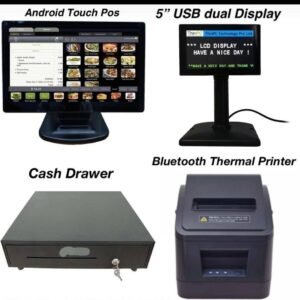
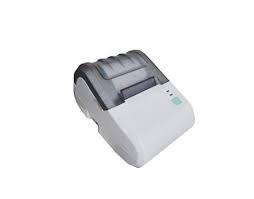
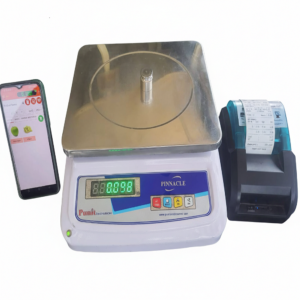
The system may also connect to a thermal receipt printer or document printer.
A compact weight bill or weighment slip can include:
- Transaction number
- Date and time
- Customer
- Product
- Gross weight
- Tare weight
- Net weight
- Quantity
- Rate and amount where configured
- Operator
- Barcode or QR code
A standard office printer may be used for full-size packing lists, delivery challans, invoices or detailed dispatch reports.
Barcode-Based Inventory Management
After an accepted package is labelled, the system can create or update inventory.
Inventory can be maintained at different levels:
- Product-wise
- Batch-wise
- Unit-box-wise
- Master-box-wise
- Pallet-wise
- Unique-barcode-wise
- Warehouse-location-wise
Barcode-wise inventory provides the strongest traceability because each physical package has its own status.
A package may be shown as:
- Produced
- Packed
- Available
- Reserved
- Transferred
- Blocked
- Dispatched
- Cancelled
- Returned
When dispatch is confirmed, the scanned package can be deducted from available stock.
This connects the physical package, printed label, packing list and inventory transaction.
Touchscreen Operator System
The industrial touchscreen keeps the main process at the weighing station.
The operator can:
- Select customer
- Select order
- Select product
- View live weight
- Apply or select tare
- Verify weight tolerance
- Scan barcodes
- Print labels
- Create master boxes
- Build pallets
- View pending quantity
- Generate documents
- Complete dispatch
Large controls and clear status messages can be used for production environments.
The application may display:
- Connected or disconnected scale
- Stable or unstable weight
- Underweight
- Accepted weight
- Overweight
- Correct or incorrect barcode
- Required package count
- Completed scans
- Pending quantity
- Printer status
- Synchronisation status
Different permissions can be assigned to operators, supervisors and administrators.
Operators may be allowed to complete normal transactions without changing product masters or tolerance limits. Supervisors may approve exceptions and reprints. Administrators can control users, templates, devices and integration settings.
Printing Equipment
Barcode Label Printer
A barcode label printer creates adhesive labels for unit boxes, master boxes and pallets.
Direct-thermal printing may suit selected short-life labels. Thermal-transfer printing is normally considered where labels require better resistance to handling, storage, abrasion or environmental exposure.
Receipt Printer
A thermal receipt printer creates compact weight slips, transaction receipts and internal bills.
Full-Size Document Printer
An A4 printer can produce detailed packing lists, delivery challans, bills and dispatch reports.
The correct printer depends on label dimensions, document size, barcode density, label life, product surface and factory environment.
Offline, Cloud and Hybrid Operation
The system can be configured for:
- Standalone offline operation
- Local-network operation
- Cloud-connected operation
- Hybrid local and cloud operation
A hybrid system can continue local weighing, scanning and printing during temporary internet failure.
Completed transactions remain locally available and synchronise when connectivity returns. Pending, successful and failed records should remain visible to authorised users.
Cloud access allows management to review orders, package counts, inventory and dispatch from another office or location.
ERP and SAP Integration
The weighing and packing application may exchange approved information with an ERP.
It can potentially receive:
- Customers
- Products
- Orders
- Batches
- Warehouse locations
- Delivery information
It may return:
- Completed quantity
- Package count
- Gross weight
- Net weight
- Barcode identity
- Inventory inward
- Dispatch confirmation
- Document reference
Integration depends on the customer’s ERP, available API, middleware, network policy and business process.
SAP Business One, SAP S/4HANA, SAP EWM, Tally, ERPNext, Odoo and custom ERP systems may be evaluated according to the actual technical interface.
Industries That Can Use the System
Auto Parts Manufacturing
Verify component packages, create unit and master-box traceability, build pallets and generate customer packing documents.
Engineering Components
Manage machined, fabricated, cast or forged parts in pieces and kilograms.
Fasteners
Use weight as an additional quantity-control method for consistent nuts, bolts, washers and similar products.
Electrical Components
Verify product-wise boxes and create customer- or order-specific labels.
Polymer and Plastic Products
Track bags, packets, rolls, containers and finished packages.
Steel, Aluminium, Brass and Copper
Print labels for bundles, coils, fabricated components and packed materials.
Warehouses and Distribution Centres
Repack, identify, scan and dispatch stock from one connected weighing station.
Food and Ingredient Packing
Use suitable stainless-steel platforms and approved food-packaging labels where applicable.
Chemical and Industrial Materials
Identify bags, drums and containers using product, batch, gross, tare and net weight.
Business Benefits
The Punit system can help manufacturers:
- Reduce handwritten weight entries
- Reduce repeated data entry
- Block labels for rejected packages
- Prevent duplicate barcode inclusion
- Prevent wrong-product packing
- Verify unit boxes and master cartons
- Maintain pallet-level traceability
- Update inventory from accepted packages
- Prepare packing lists from actual stock
- Generate customer-specific documents
- Reduce mismatch between packing and dispatch
- Maintain operator and transaction history
- Improve ERP data capture
- Standardise packing operations
Information Required for Configuration
Before preparing the final proposal, Punit should review:
- Product type
- Part dimensions
- Unit weight
- Package weight
- Unit-box dimensions
- Master-box dimensions
- Pallet dimensions
- Maximum weighing capacity
- Required readability
- Allowed weight variation
- Pieces per box
- Boxes per carton
- Cartons per pallet
- Label dimensions
- Barcode structure
- Packing-list format
- Delivery-challan format
- Bill or receipt format
- Inventory process
- Number of users
- Number of weighing stations
- Offline or cloud preference
- ERP integration requirement
- Factory environment
Why Choose Punit Instrument Pvt. Ltd.?
Punit Instrument Pvt. Ltd. has worked in industrial weighing since 1999.
The Punit solution combines:
- Industrial weighing hardware
- Digital weighing indicators
- Touchscreen operation
- Barcode label printing
- Receipt and document printing
- Barcode scanning
- Inventory software
- Packing automation
- Dispatch verification
- Cloud reporting
- ERP integration
The system is configured around the customer’s real material, package hierarchy and document flow. Final capacity, readability, construction, printer, scanner and software modules are confirmed only after technical review.
Frequently Asked Questions
Can the system print labels only when the package weight is correct?
Yes. Product-specific minimum and maximum weight limits can block accepted-label printing for underweight or overweight packages.
Can unit boxes be scanned into master boxes?
Yes. Every accepted unit-box barcode can be scanned into a master carton, creating a recorded package relationship.
Can master boxes be scanned onto pallets?
Yes. Accepted cartons can be assigned to a pallet and verified before the pallet label is printed.
Can it generate a packing list?
Yes. The packing list can be created from the packages physically completed and assigned to the order.
Can it print a delivery challan?
Yes. The system can print the company’s approved delivery-challan format using order and dispatch information.
Can it print a bill or weight receipt?
Yes. Thermal receipts, weight bills, weighment slips and full-size documents may be configured.
Does it update inventory?
Yes, when inventory management is included. Accepted packages can create stock, and dispatched packages can be deducted after scanning.
Can it operate without the internet?
Yes. Offline and hybrid configurations are possible.
Can it integrate with SAP or another ERP?
Yes, where the customer provides an approved technical interface.
Is it suitable for auto-parts manufacturers?
Yes. It is especially useful where components are packed into unit boxes, cartons and pallets and must be verified before dispatch.
Request a Demonstration
Share your product details, box sizes, packing hierarchy, tolerance limits, barcode format, packing list, delivery challan and inventory workflow.
Punit Instrument Pvt. Ltd. will recommend the appropriate weighing platform, touchscreen, printer, barcode scanner and software configuration.




Reviews
There are no reviews yet.